Install the Chrome Extension
You’ll go from “I should track this” to “it’s tracked” in under a minute.
Requirements
- Google Chrome (or Chromium-based browser)
- A Dear Hiring Team account
- Access to job posting pages
Steps
1. Install from the Chrome Web Store Open the store listing and click “Add to Chrome”.2. Pin the extension Click the puzzle icon and pin Dear Hiring Team so it’s always visible.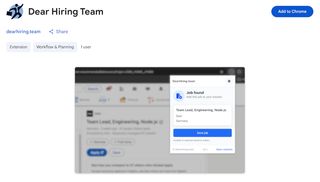
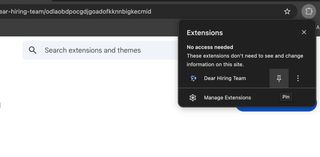
Pin extension
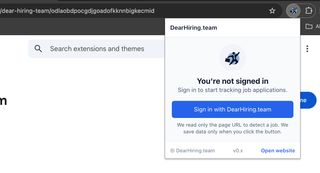
Sign in dialog
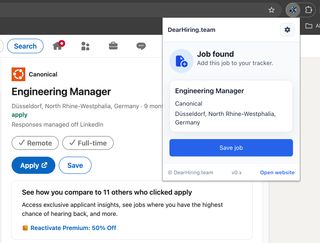
Extension popup on a job page
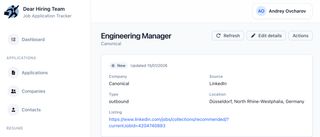
Pipeline entry in web app
Troubleshooting
The extension says “Not a job page”
Some pages don’t match the expected layout. Try another posting, or copy the URL into the web app as a fallback.
Nothing happens when I click Save
Check you’re signed in / connected. Reload the page and try again.
The job saved, but looks incomplete
Page layouts vary. The URL is always saved, so you can edit details later in the web app.
Next steps
- Set a status immediately (Initial / Interview / Rejected)
- Review your pipeline at least once a week
- Keep it factual: track outcomes, not hopes